
UI Tech Test
About the project
This is a small sample test I did for a mobile game development studio based in Barcelona.
WebGL Demo
Main Screen
Sprite Packing
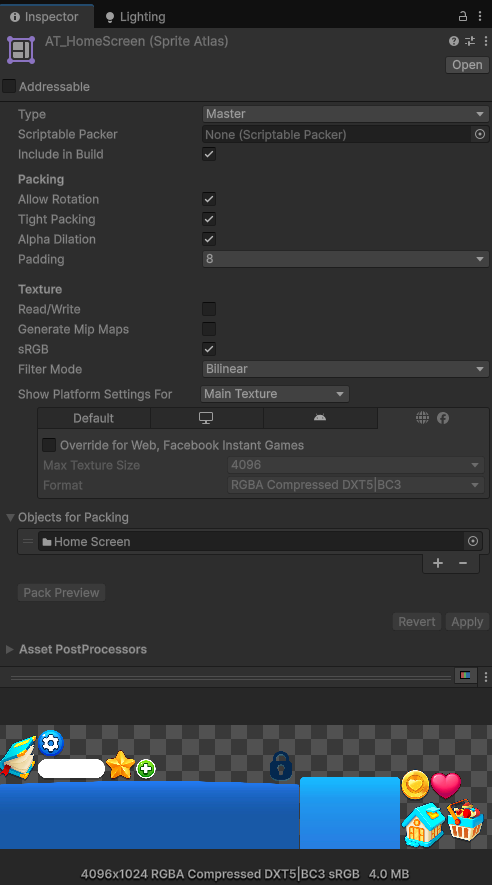
Sprite packing in the project is done using the Sprite Atlas creation tool inside Unity, this is extremely important to have everything cached and batched inside a single draw call, so the UI draws in two batches: UI Sprites -> TextMeshPro Text.
Main UI Footer
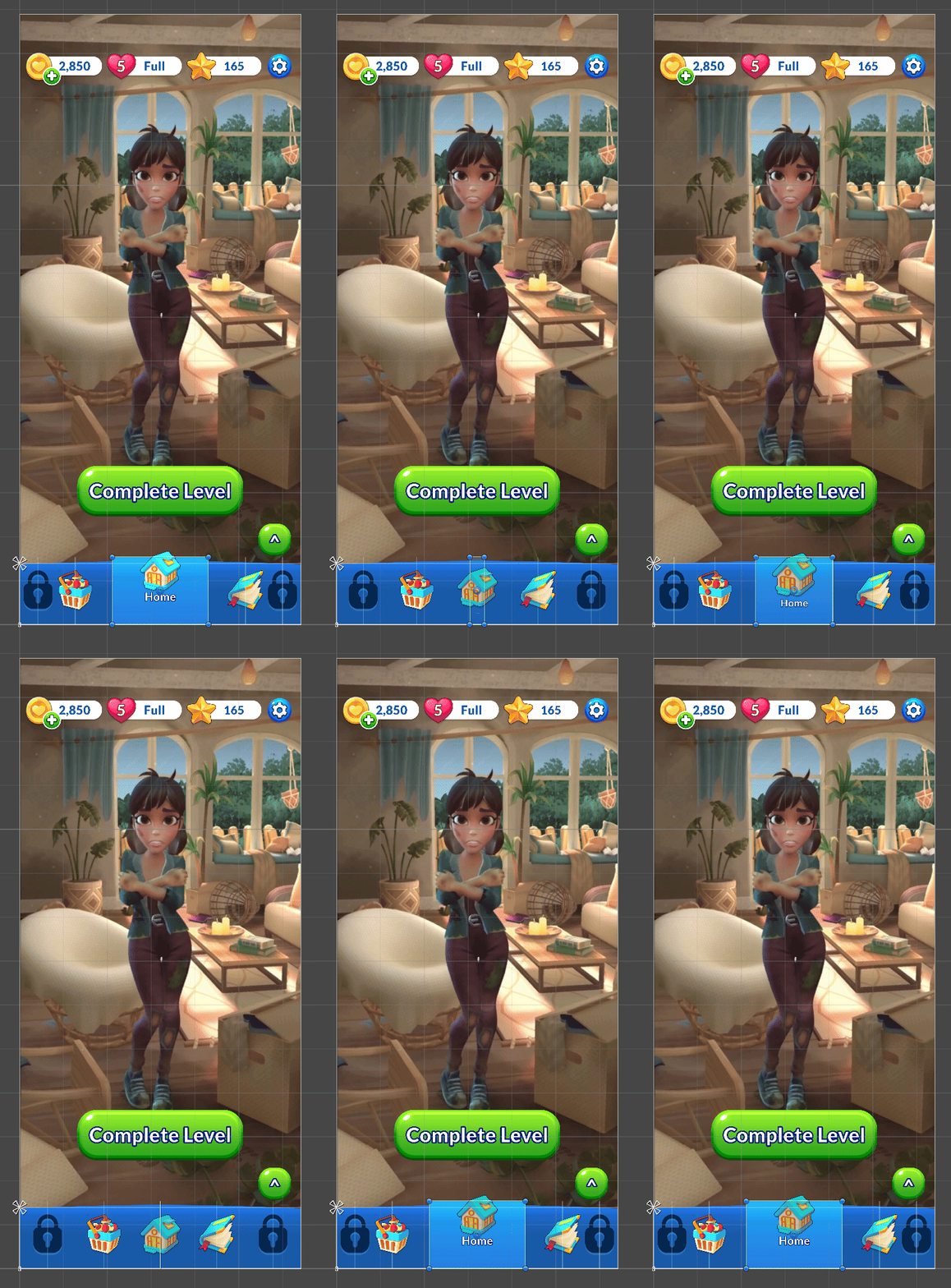
Everything animated in the UI is done by scripting using the DOTween Pro package.
All the buttons are laid out using a Horizontal Layout, when activating a button, a tween changes the width of the corresponding Rect Transform component from 0 to its expanded value. Due to the change in size, the Horizontal Layout component automatically adjusts the other buttons positions.
Settings Screen
UI Blur
    IEnumerator RecordFrame()
    {
        yield return new WaitForEndOfFrame();
        var screenTex = ScreenCapture.CaptureScreenshotAsTexture();
        screenShot = new Texture2D(screenTex.width, screenTex.height, TextureFormat.RGB24, true);
        screenShot.SetPixels32(screenTex.GetPixels32());
        screenShot.Apply();
        uiSettingsScreenshotRawImage.texture = screenShot;

        Destroy(screenTex);
        OpenUISettingsPanel();
    }
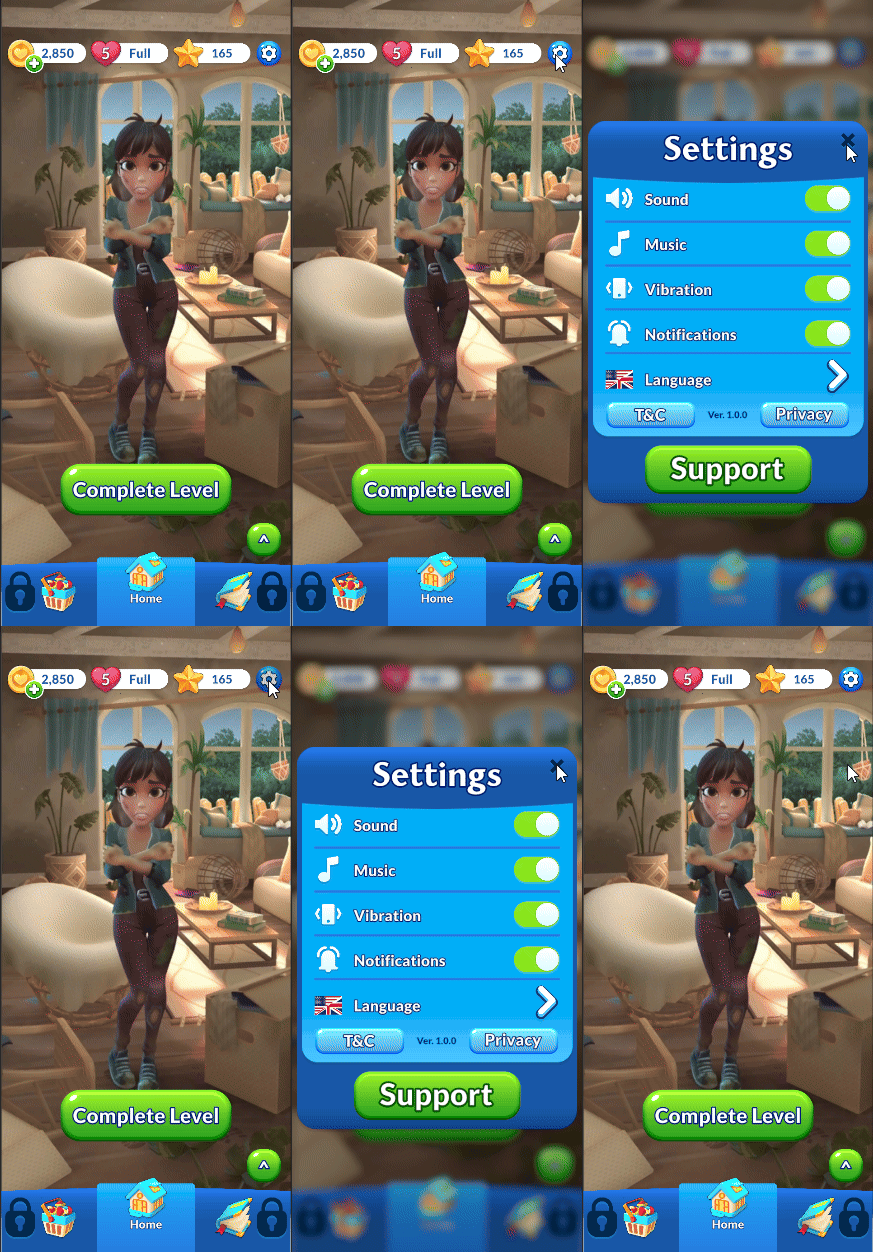
In order to avoid doing a blit operation I’ve decided to take an actual screenshot of the current state of the screen using a coroutine, after the screenshot is taken, I call the method to actually open the UI and do the scale tween and pass the screenshot as a texture to a panel with a blur shader.
In the shader:
void BoxBlur_half(in Texture2D MainTex, in SamplerState sampler_MainTex, in float2 uv, in float2 texelSize, in float radius, in float lod, out float4 result)
    {
        result = half4(0,0,0,0);
        float diameter = (float(radius) * 2.0) + 1.0;
        float numberOfSamples = 0;
        float2 res = uv * (1/texelSize);

        for (int y = -radius; y <= radius; y++)
        {
            for (int x = -radius; x <= radius; x++)
            {
                half2 pixelOffset = half2(x,y);
                half distanceToPixel = length(pixelOffset);

                if(distanceToPixel > float(radius))
                {
                    continue;
                }

                half2 uvOffset = pixelOffset * (texelSize * (lod + 1));

                result += SAMPLE_TEXTURE2D_LOD(MainTex, sampler_MainTex, uv + uvOffset, lod);
                numberOfSamples++;
            }
        }

        result /= numberOfSamples;
    }
This is essentially a box blur with a 3×3 max sample radius. Some optimizations are applied, instead of doing a whole box I’m doing a circle, this creates a more pleasant effect and avoid a bunch of texture samples. To avoid having to do a bunch of samples and be able to limit it to 3 per-axis, I’m sampling the texture taking advantage of the mipmaps in the texture, by selecting a higher LOD while scaling the radius of the actual blur it gives the appearance of a higher radius because we’re sampling a lower resolution texture progressively.
Level Complete Screen
Transition Effect Shader
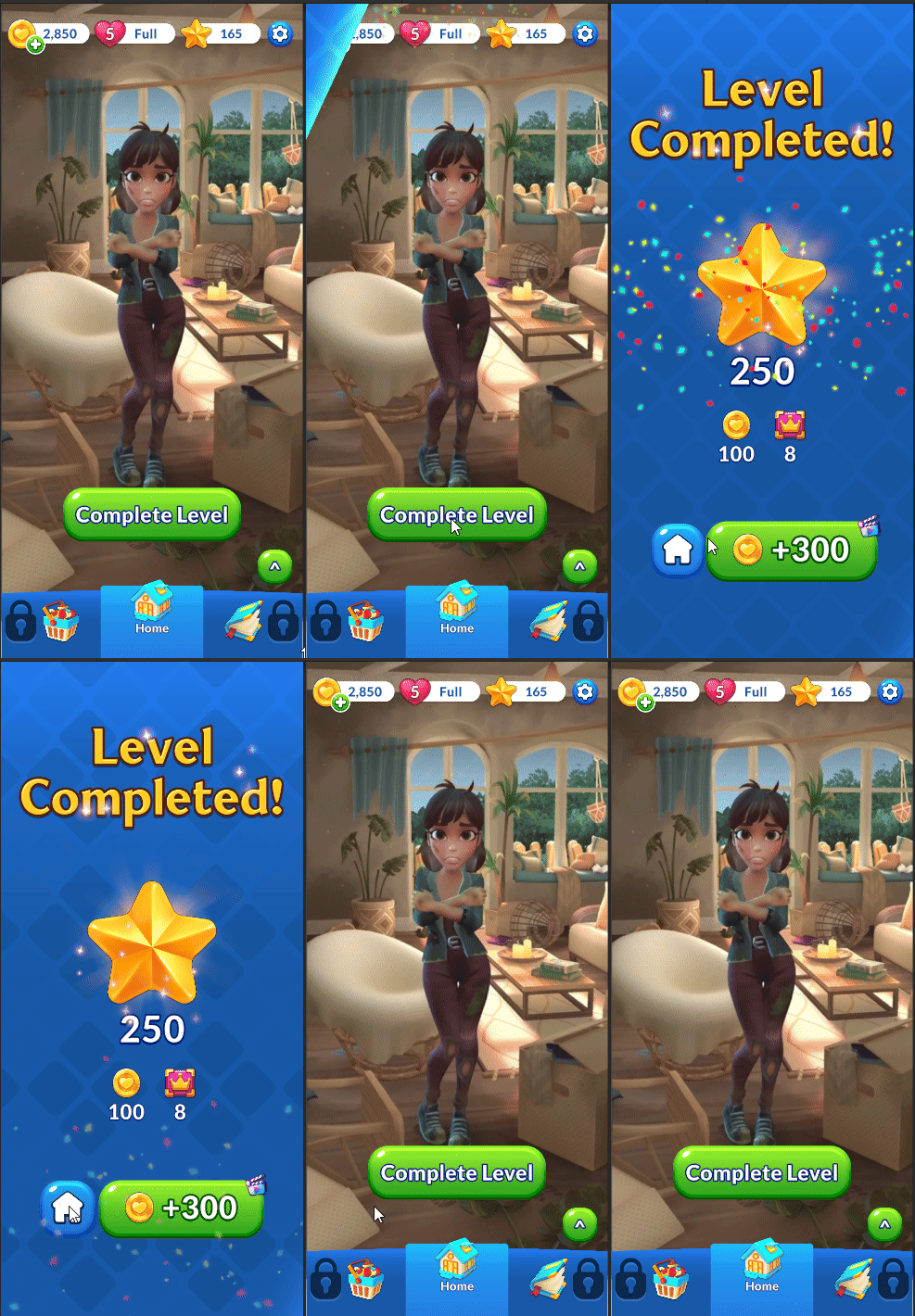
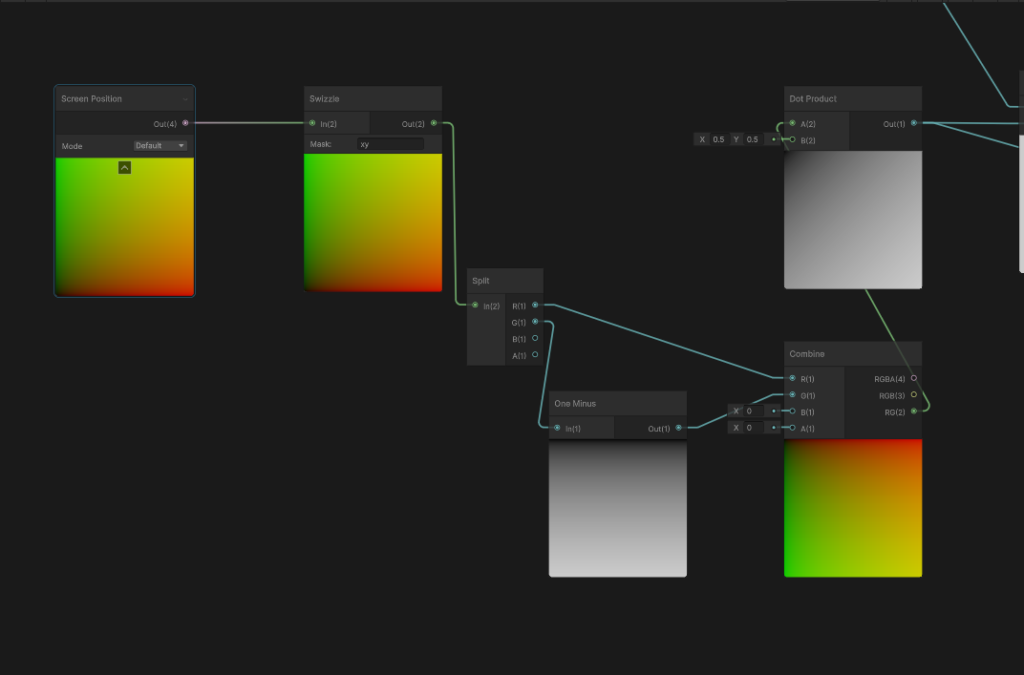
A common shader is used for all the sprites, using a dot product and screen coordinates a gradient is created.
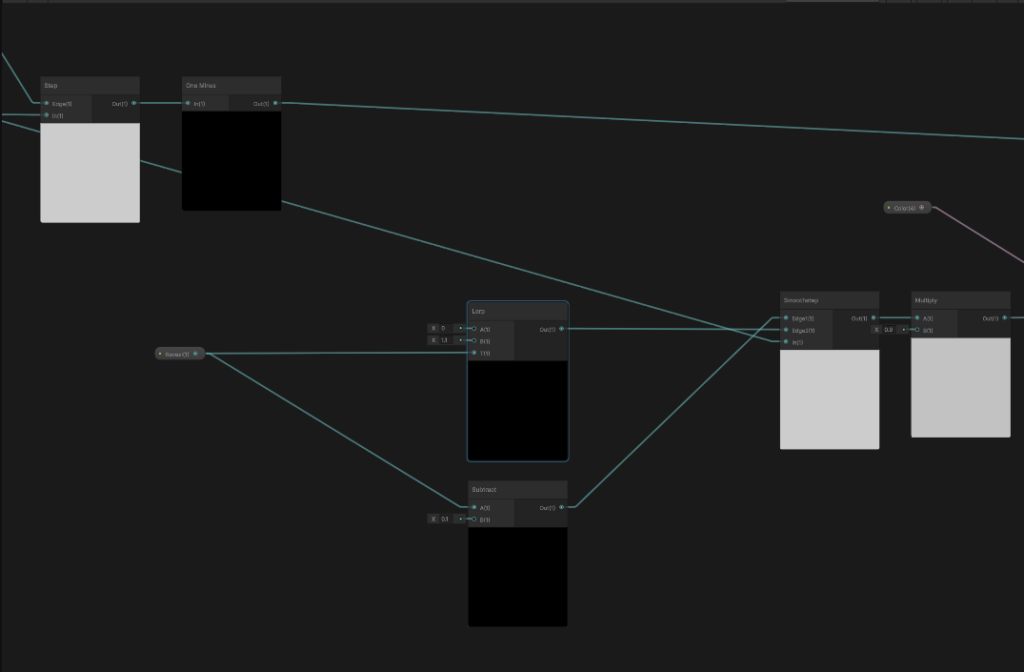
Using a step function and a smoothstep function using a global float as a parameter creates the mask and the highlight gradient when opening and closing the screen.
Background Animation Shader
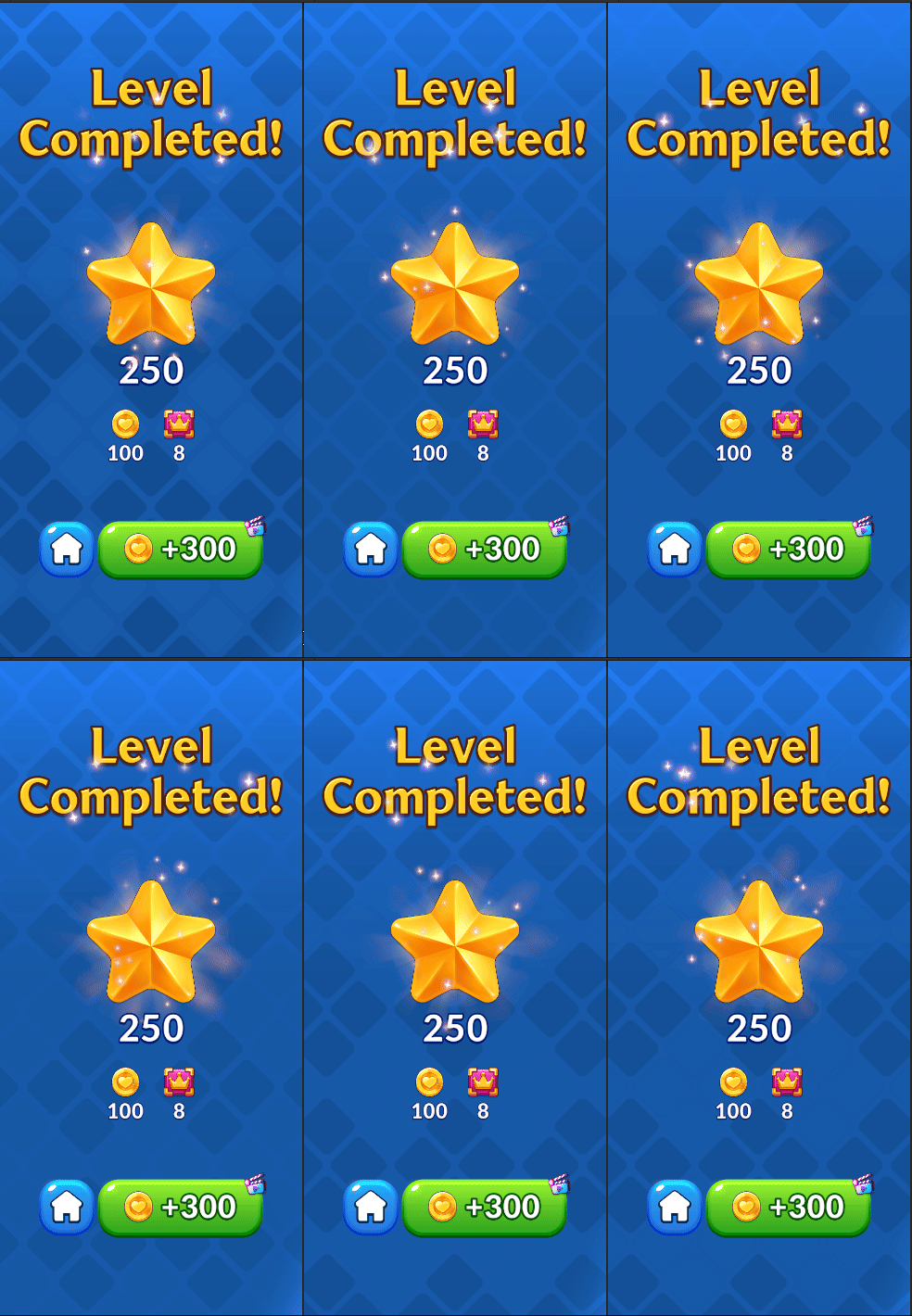
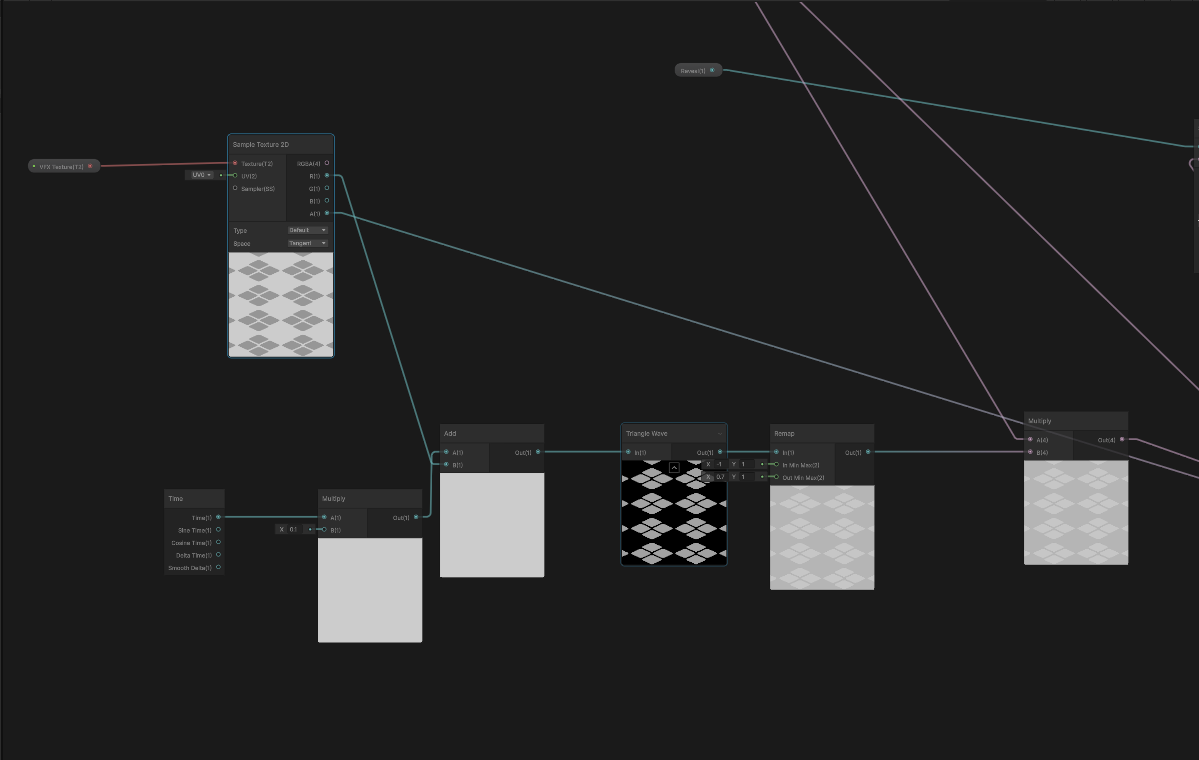
The animation works by using the game time as an input for a Triangle Wave, the game time is offset by the grayscale value on the texture to make the animation not uniform on all of the shapes. The texture was done manually in Photoshop using the background file as source.
If you’ve read through my analysis of the shaders I made for MiB: Most Wanted this will sound familiar.