Men In Black: Custom Tools
Indexed Colors Character Substance Painter tool
Sony Pictures Interactive VR requested to have character customization for the multiplayer mode, and the character artists were hands full with tasks, so to avoid them doing multiple texture sets for the skin tones of the NPC’s and player characters I conceived a special tool that with two textures could recreate any skin tone color using a shader.
In order to preview and create the special textures the artists need to use the tool and substance painter shaders included with the tool.
See and download the plugin here
Here’s an in-depth explanation of how it works:
- The tool creates 8 User Channels in Substance Painter:
- Outline (Black painted outlines)
- Softlight (Painted directional light)
- Eye (Pupil if < 0.5, Iris if > 0.5)
- Mouth (Mouth interior if < 0.25, Teeth if > 0.25, Tongue if > 0.5)
- Skin
- Dark Shadow (Highly occluded areas)
- Light Shadow
- Lips
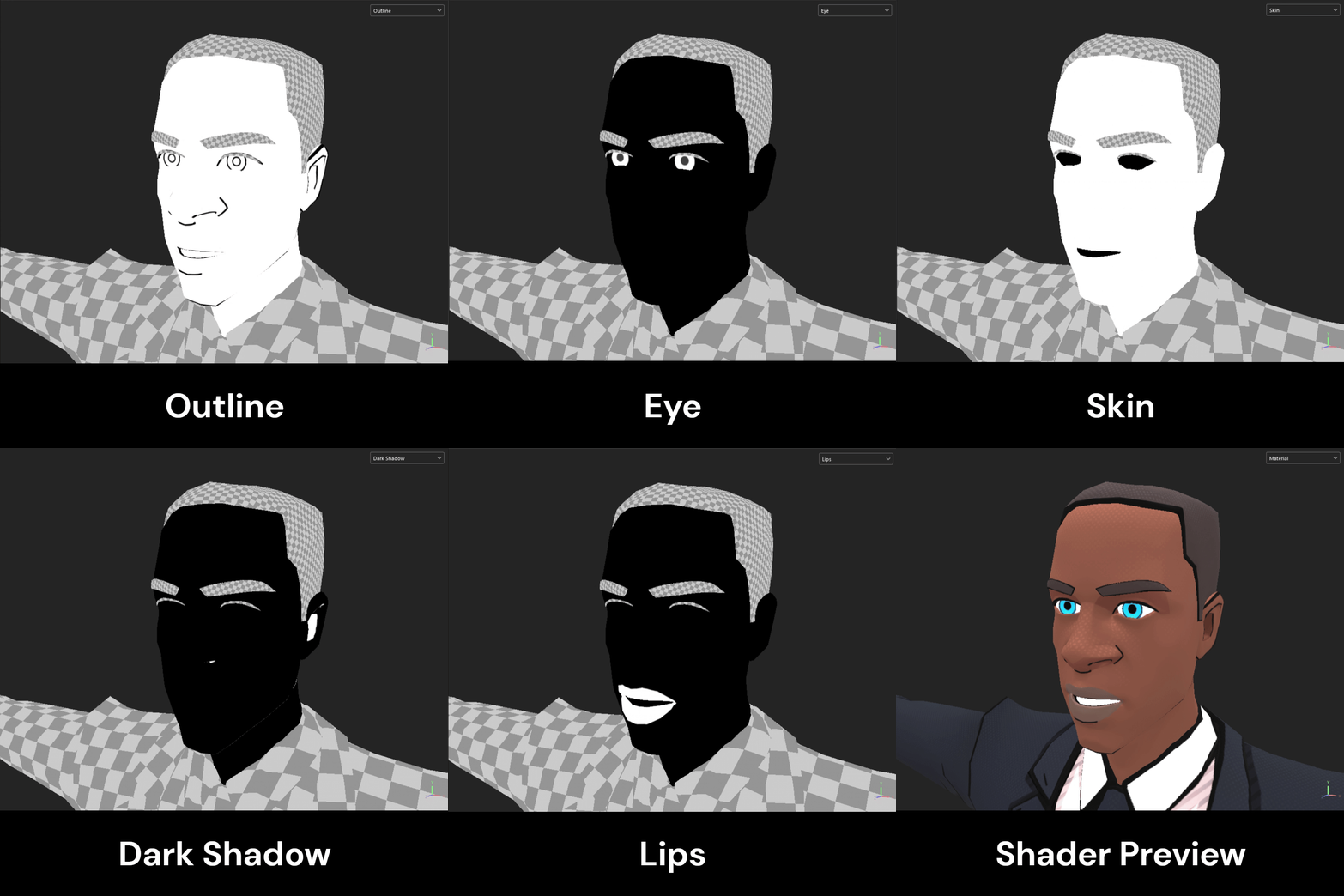

Once the artist has finished painting the masks the texture exporter then packs the channels in the following order:
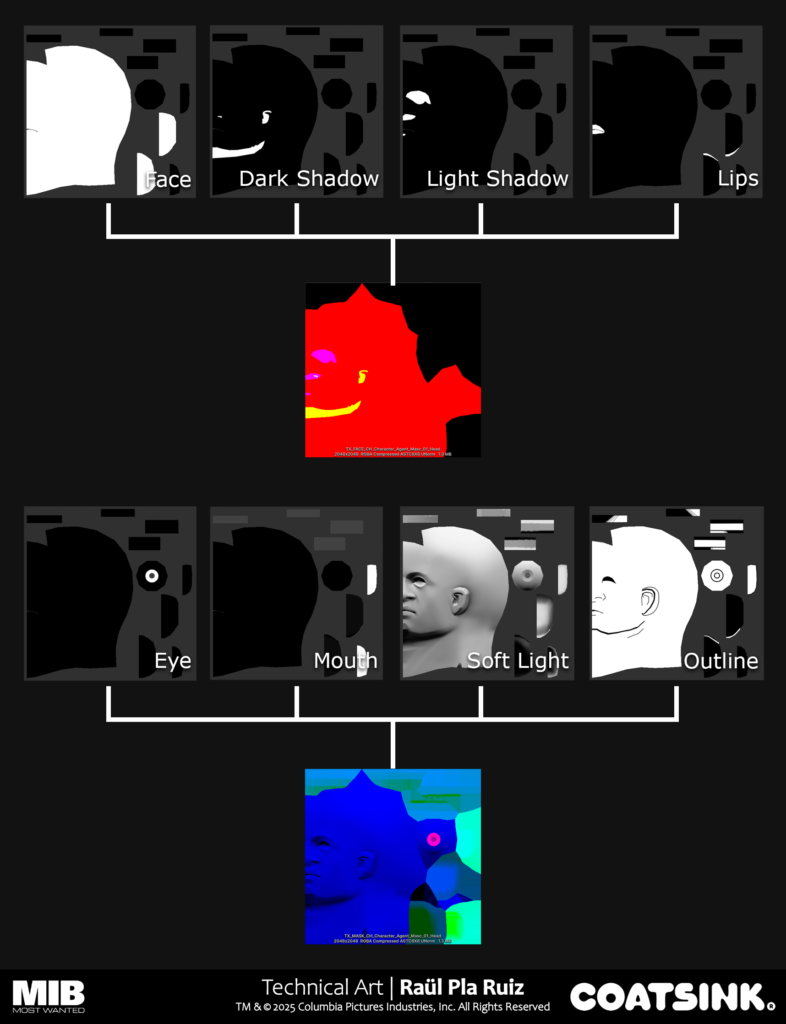
Then the shader linearly interpolates between the palette colours using the information on the mask, blends the soft light layer and multiplies the color by the outline layer:
Gradient Editor Substance Painter Tool
It’s a substance tool that let’s artists create gradients for use in Substance Painter and Unity with a handy editor. With it you can create gradient textures and export them to your project, edit them using the JSON files it generates and change them dynamically with a C# script in Unity that interprets the JSON files to change individual colours of the gradients.
See and download the plugin here
All of it is contained in a specific plugin window that can be arranged however you like in your Substance Painter interface. Here’s a video on how it works and how to use it:
Shadow Volumes Unity Tool
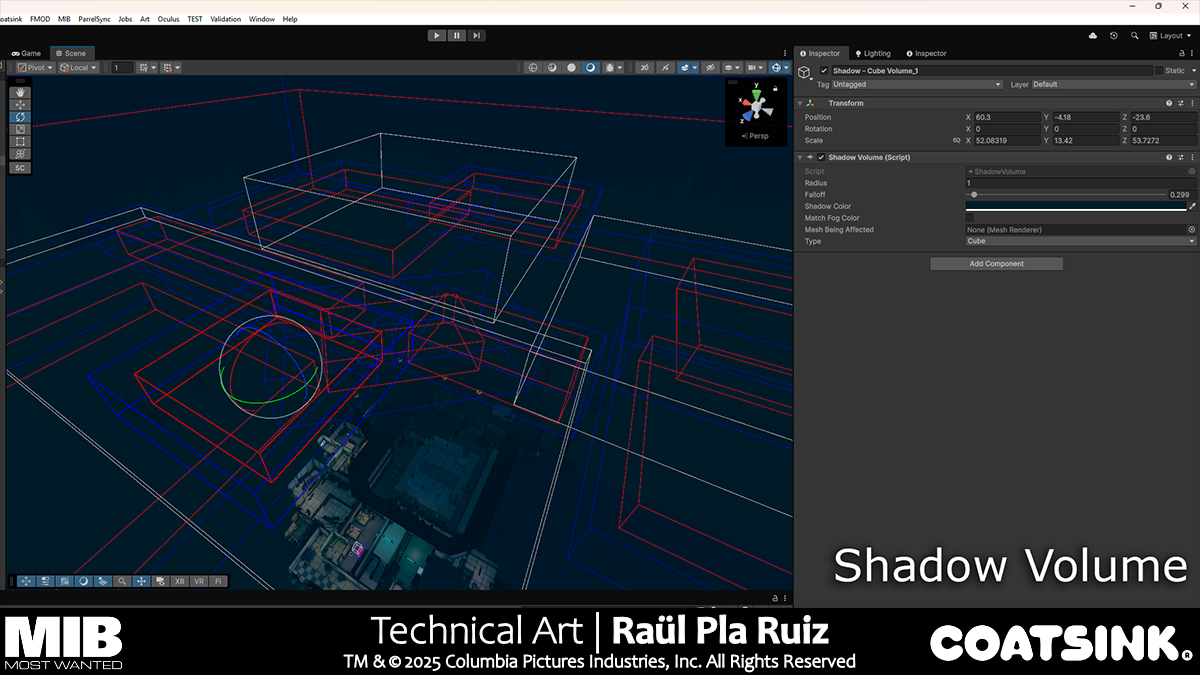
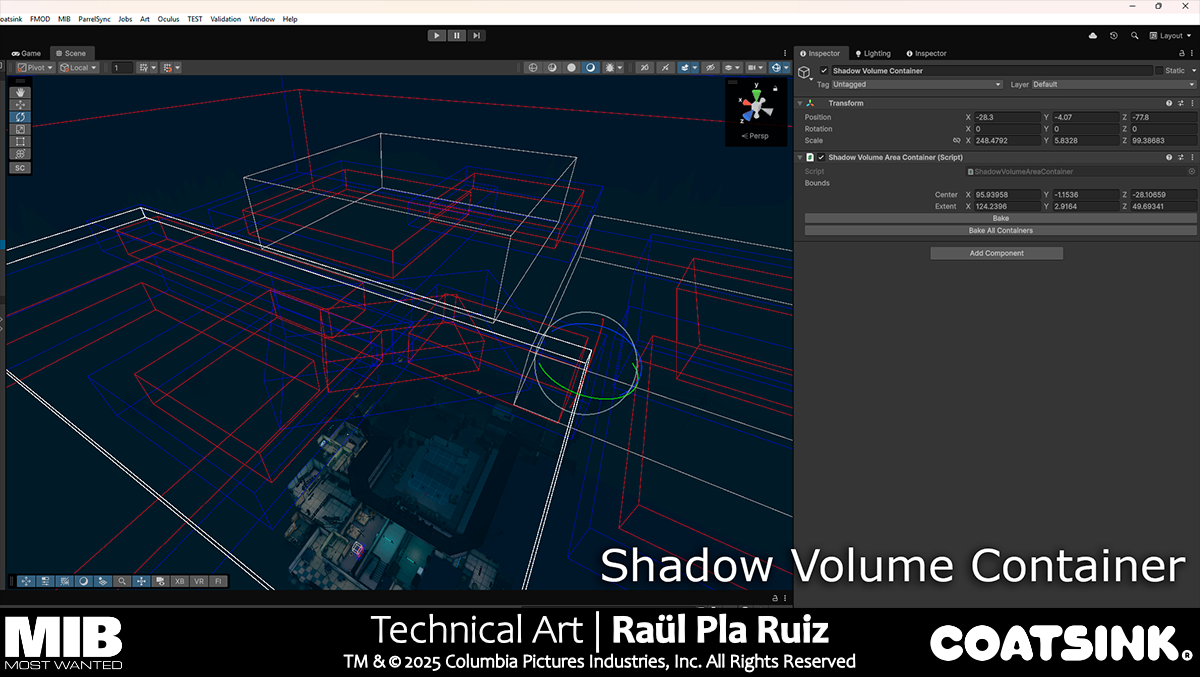
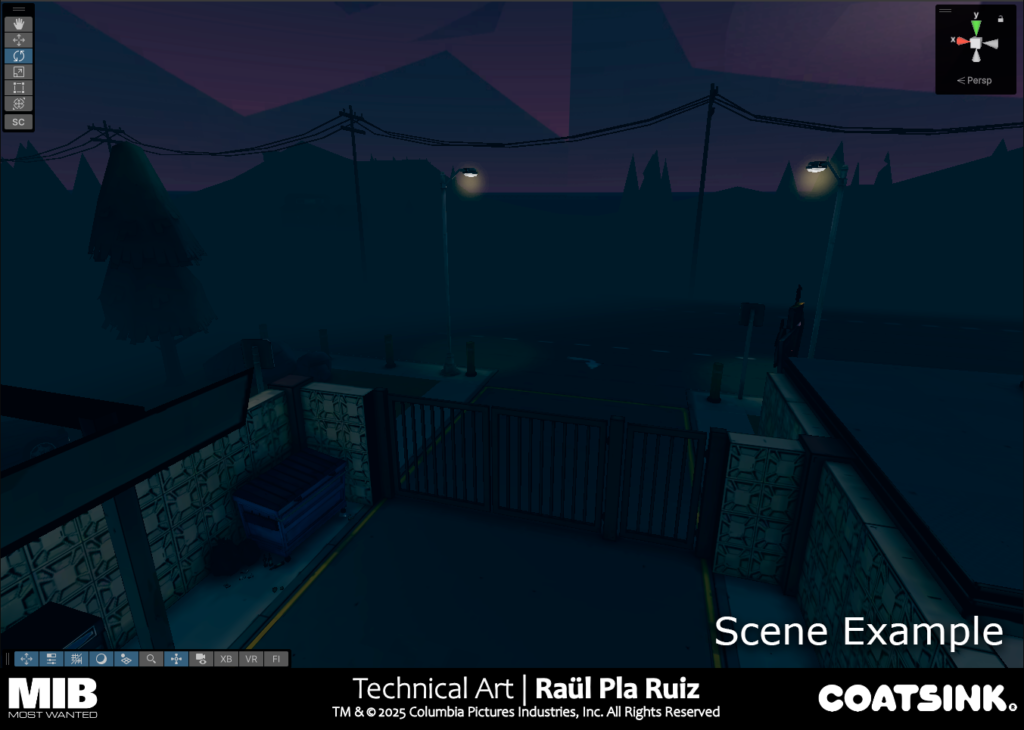
Artists needed a tool to paint shadows on corridors, tunnels and other rooms that needed a gradual gradient to nothingness to imply that they continue indefinitely. I made a tool where artists manually placing volumes could paint the vertex colours of the meshes inside the volumes, these can also be linked to a single mesh, that way a volume will only affect that mesh.
It works in the following manner:
- Looping through each vertex of the meshes affected
- Calculate the signed distance fields of each of the boxes and spheres that are near on each of the vertices
- Store the SDF distance on the vertices alpha vertex value and the container’s color on the vertex color value.
- Assign the new vertex colours using additional vertex streams, this will override the vertex colour data on each renderer without having to save the meshes to disk, instead data is serialized and thus saved per scene.
Containers then let artists decide which meshes on the scene will be processed by the tool, when artists have finished the placement of the volumes they can bake the information by selecting a container and clicking “bake all”.
Additionally, to be sure that artists didn’t forget to bake the shadow volumes and commit the serialized data, another script handles those situations:
- When a build is being compiled a special script opens the scenes
- Bakes the volumes and saves the scenes to disk
The shader reads the alpha and color value of each vertex and then blends the colour accordingly, nothing special there.